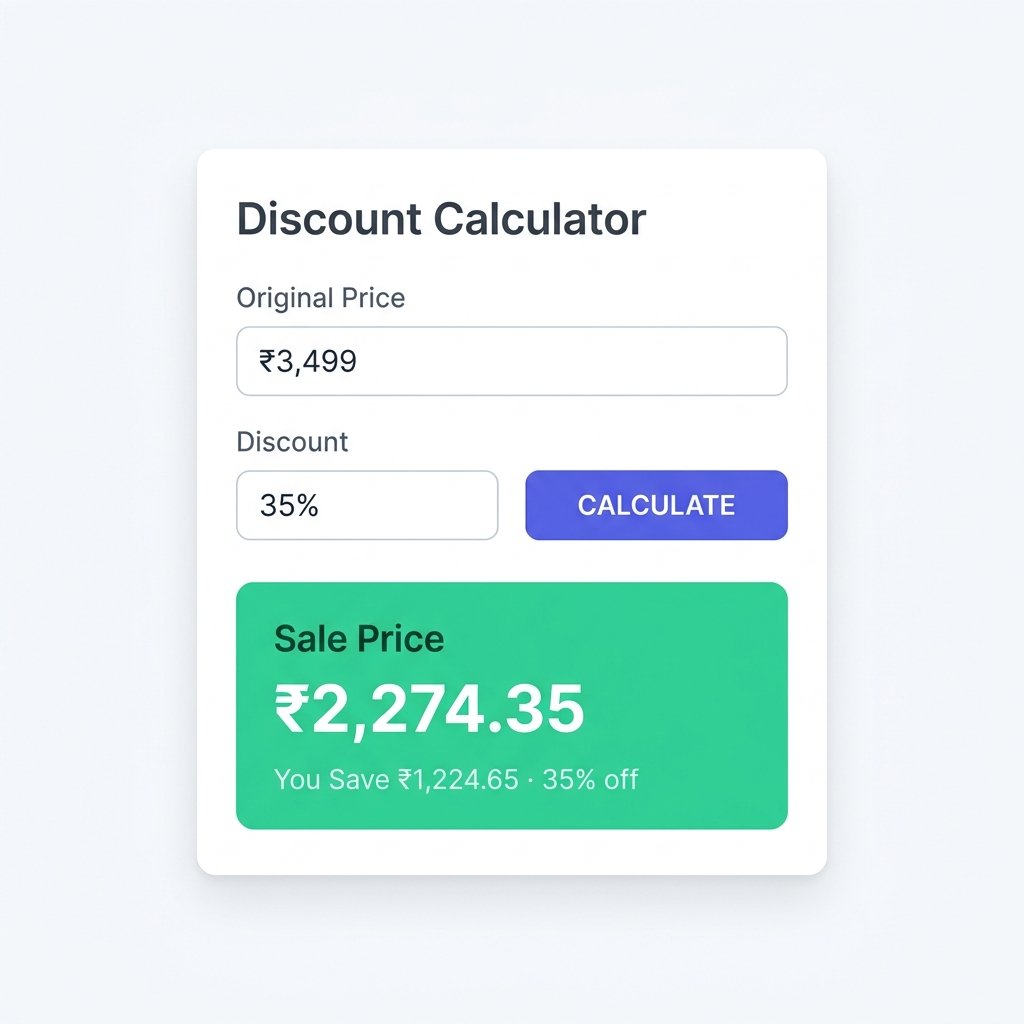
You're standing in a store. A jacket is tagged at ₹3,499 with a sign that says 35% off. Your brain does that thing where it tries to work out 35% of 3,499 while also wondering if you even like the jacket that much. That's what a discount calculator is for. Enter the original price. Enter the discount. Get the number. Done.
What Is a Discount Calculator?
A discount calculator is a tool that takes a price and a discount — either a percentage or a fixed amount — and shows you the final price, the amount saved, and (optionally) the effective discount percentage after tax.
It sounds simple because it is. The value is in not having to do the arithmetic yourself, especially when you're comparing multiple offers, calculating bulk order savings, or working out whether a "buy 2 get 30% off" deal is actually better than a competitor's flat price.
Percentage Off
You know the original price and the % discount. Get the sale price and savings amount.
Fixed Discount
A flat rupee or dollar amount off. Useful for coupon codes, vouchers, and employee discounts.
Reverse Calculation
Know the sale price? Find the original price or discount percentage that was applied.
Stacked Discounts
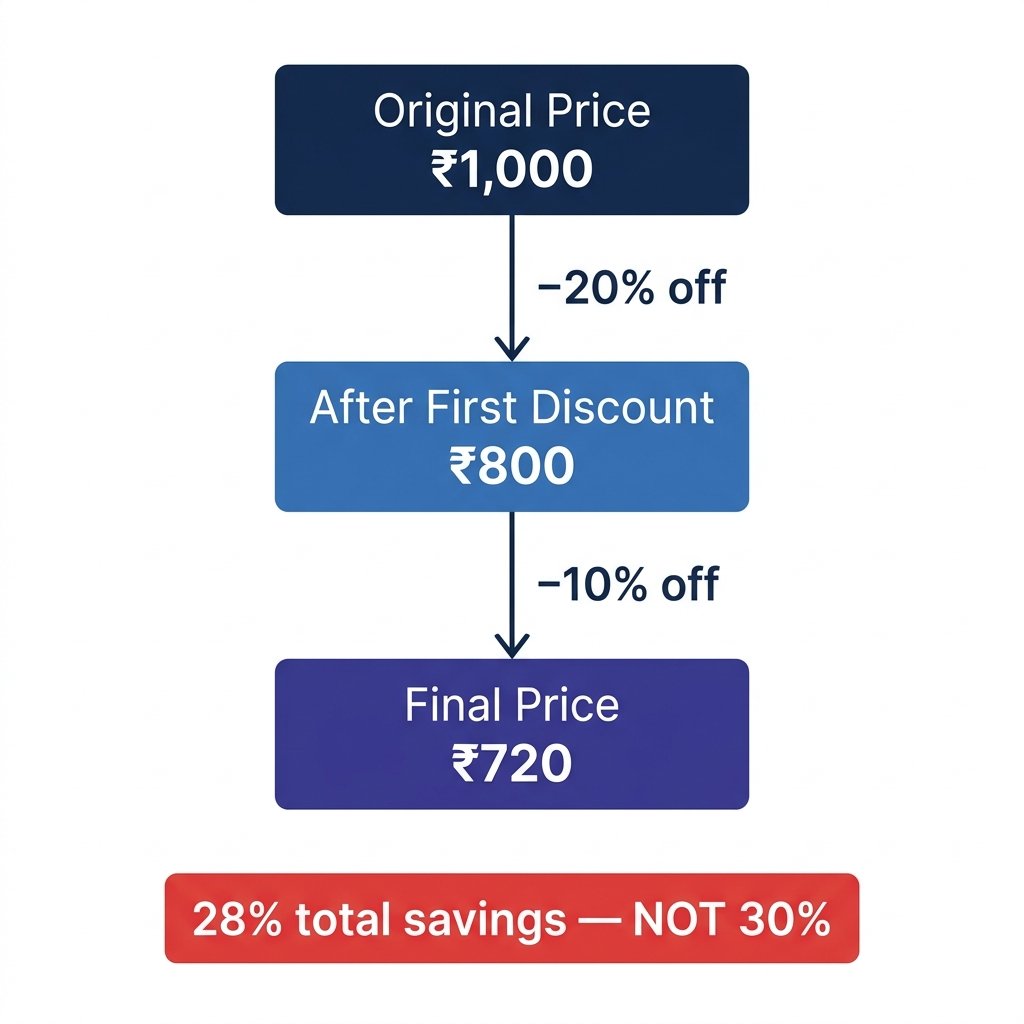
Layer discounts correctly — 20% off then 10% off is 28%, not 30%. Each applies to the reduced price.
How to Use the Discount Calculator
Enter the original price of the item before any discount is applied. Then enter the discount — either as a percentage or a fixed amount depending on which mode you've selected. Click calculate. The result shows your final sale price, the total amount saved, and the effective percentage off.
For stacked discounts, enter each percentage separated by a comma. A 20% discount followed by an additional 10% discount gives you an effective discount of 28%, not 30% — because the second discount applies to the already-reduced price, not the original.
If you want to include tax, toggle the tax field and enter your rate. You can choose whether tax is added after the discount or stripped out from a tax-inclusive price.
The Math Behind It
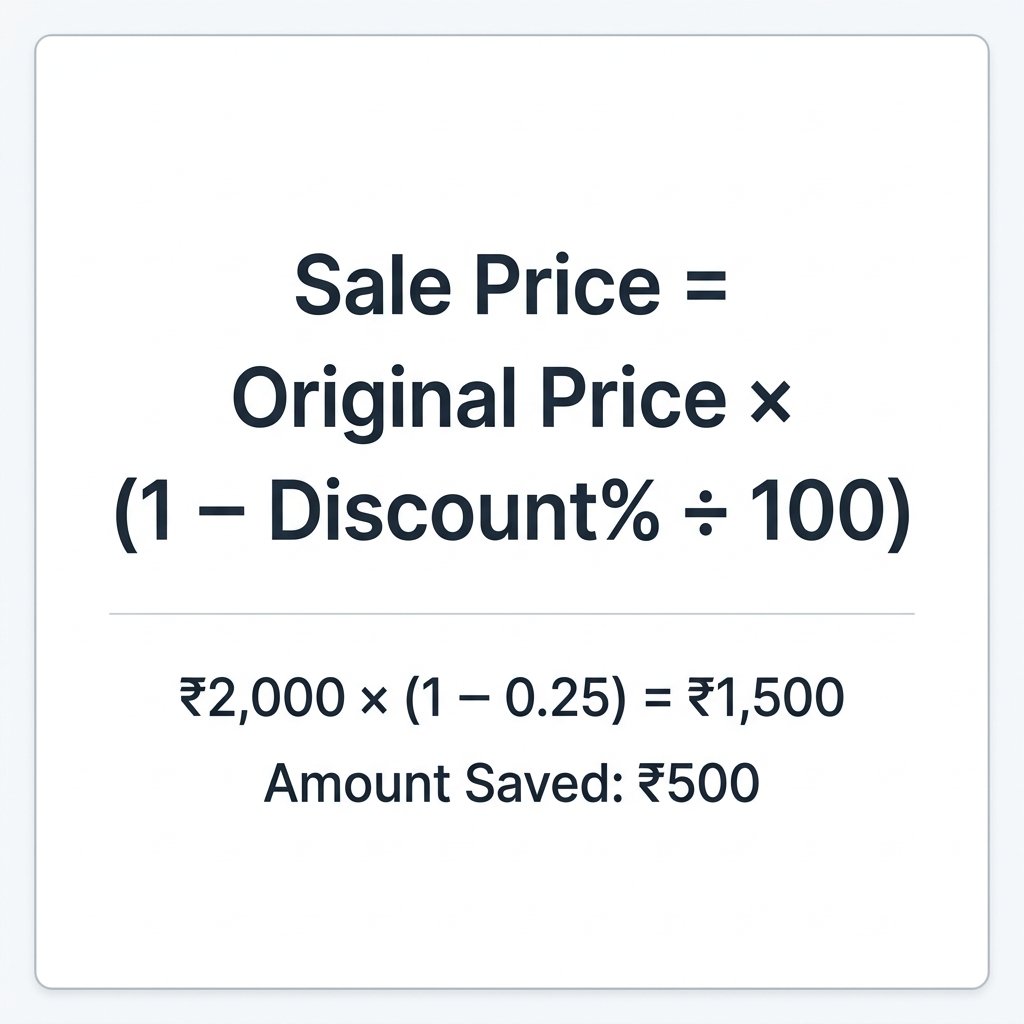
You don't need to know this to use the calculator, but here it is for anyone who wants to check the work.
Types of Discounts the Calculator Covers
Percentage Off
The most common type. A retailer takes a fixed percentage off the marked price. 10% off, 30% off, 50% off. The discount amount scales with the price — so 30% off a ₹500 item and a ₹5,000 item are very different actual savings.
Flat Amount Off
A voucher, coupon, or promotional code that removes a specific rupee or dollar value from your total. Common in e-commerce — "Get ₹200 off on orders above ₹999" is a flat discount with a minimum order condition.
Buy X Get Y Deals
"Buy 2, get 1 free" is a discount too — it's just structured differently. Three items at ₹400 each, pay for two = ₹800 total, effective price per item = ₹266.67.
Stacked or Sequential Discounts
Two or more discounts applied one after the other. Common during end-of-season sales. The math trips people up consistently — 20% + 10% is not 30%, and this is where the calculator saves the most time.
Wholesale and Bulk Discounts
Businesses ordering in quantity often get tiered pricing — 5% off for 50 units, 12% off for 100, 20% off for 500. Run each tier as a separate calculation to compare total costs across order sizes.
Who Uses a Discount Calculator
Shoppers
Working out whether a sale price is actually good, or comparing two deals from different stores.
Small Business Owners
Pricing products with a margin after a discount, or calculating how much a promotional offer costs in lost revenue.
Students & Freelancers
Checking discounted software subscriptions, course prices during sales, or calculating client discounts on invoices.
E-commerce Sellers
Running promotions and needing to verify the final customer price before publishing a campaign.
Finance Teams
Calculating trade discounts on bulk invoices, checking after-discount unit costs, or verifying supplier pricing.
Common Mistakes People Make with Discounts
| Mistake | What Actually Happens | Correct Approach |
|---|---|---|
| Adding stacked discounts | 20% + 10% feels like 30% | Apply sequentially — result is 28% |
| Applying discount after tax | Discount on tax-inclusive price understates savings | Apply discount to pre-tax price, then add tax |
| Comparing % off without knowing original price | 40% off ₹1,000 vs 20% off ₹3,000 | Always compare final prices, not percentages |
| Using round numbers to estimate | ₹999 at 30% — rounding to ₹1,000 causes error | Use the calculator for anything above ₹500 |
| Ignoring minimum spend on coupons | ₹200 off only applies above ₹999 | Factor in whether the condition applies first |
Expert Tips for Getting the Most Out of Sales
Compare final prices, not percentages. A 40% discount on an already-inflated price can be worse than a 15% discount on a fair price. The number that matters is what you actually pay.
Check for stacking restrictions. Many retailers don't allow coupon codes to stack on top of sale prices. Read the terms before calculating a stacked deal that might not actually apply.
Use reverse calculation to spot fake discounts. If a product shows a sale price without the original, reverse-calculate what the original "must have been." If it seems implausibly high, the original price may have been inflated just for the sale.
For businesses — check your margin after discount. Giving 20% off sounds straightforward until you realize your margin was only 25%. Run both your cost price and your sale price through the calculator before deciding on a promotional rate.
Wholesale buyers — calculate per-unit cost at each tier. A 15% discount on a 100-unit order might be worse than a 20% discount at 200 units even factoring in storage costs. Run both scenarios side by side before committing.
Discount Calculator: Use Cases with Real Numbers
Example 1 — Retail Purchase
Original: ₹2,499 | Discount: 30% off
Example 2 — Coupon on Sale
₹3,000 → 20% off → ₹2,400 → extra 15% coupon → Final: ₹2,040
Example 3 — Reverse Calculation
Sale price: ₹1,800, known to be 25% off. Original = ?
Example 4 — Business Invoice
150 units × ₹85 each, 12% trade discount applied
Frequently Asked Questions
⚡ Key Takeaways
- Sale Price = Original Price × (1 − Discount% ÷ 100)
- Stacked discounts are not additive — apply each sequentially
- Use reverse mode to find original prices when only the sale price is known
- A higher percentage off is not always a better deal — compare final prices
- The calculator works for retail shopping, business invoices, and bulk orders
Conclusion
The math behind a discount isn't complicated. But it's easy to get wrong when you're comparing multiple deals, handling stacked offers, or trying to reverse-engineer an original price from a sale tag. That's when a discount calculator earns its place.
Use it whenever the number matters — before a large purchase, when setting promotional prices for your own products, or any time a "great deal" looks like it might just be clever pricing.